
SonarQube应用离线安装插件
SonarQube的插件地址为:https://binaries.sonarsource.com/Distribution/
将下载的插件文件存放在SonarQube应用的/opt/sonarqube/extensions/plugins目录下。
参考文章
本博客所有文章除特别声明外,均采用 CC BY-NC-SA 4.0 许可协议。转载请注明来源 Michael Blog!
相关推荐
2023-12-13
Jenkins Pipeline局部变量
变量未定义在编写Jenkinsfile时,经常会遇到变量问题,明明已经定义过了,但是函数是就是无法读取。例如: 123456789101112131415161718def some_var = "some value"def pr() { def another_var = "another " + some_var echo "${another_var}"}pipeline { agent any stages { stage ("Run") { steps { pr() } } }} 将获得如下错误: 1groovy.lang.MissingPropertyException: No such property: some_var for cla...
2020-05-20
ansible通过跳板机管理另一个网络下的主机集群
原文地址:http://wooooe.com/2018/07/31/remote_forwarding/ ssh端口映射例子 因为公司的网络比较深所以经常需要跳转多次。所以这次做个记录 需求: 需要从your host跳到client中间隔了两层跳板机。 如果单纯用代理方法只能跳一层 所以如果用端口映射+代理方式就可以跳两层了 映射命令 1ssh -g -f -NL 127.0.0.1:44010:172.16.3.14:22 -p 3391 jump_host1_username@222.222.222.222 意思就是将172.16.3.14的22端口映射到127.0.0.1的44010端口,222.222.222.222是中间的代理机,3391是222.222.222.222的ssh端口。 映射完成之后。执行 1ssh -p 44010 jump_host2_username@127.0.0.1 就可以直接跳转到jump_host2上 ssh走代理方法 第一种: 1ssh -o ProxyCommand="ssh -W %h:%p -p 339...
2021-05-20
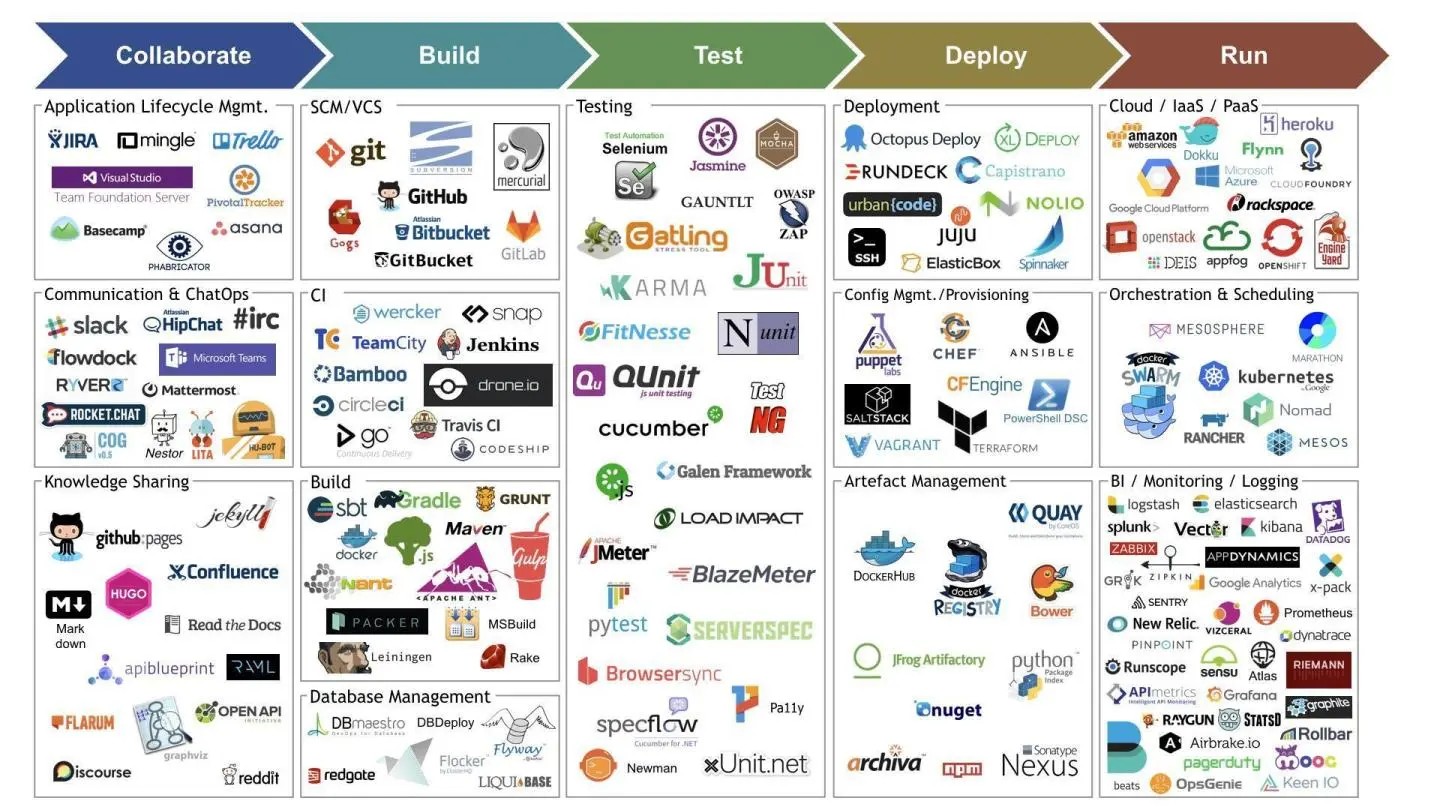
DevOps工具汇总大全
DevOps神道:项目管理工具 Jenkins:CI工具 Ansible:配置管理工具 GitLab/Gogs:代码库 Docker:容器引擎 Kubernetes:容器调度 SonarQube:代码静态扫描 Harbor:制品库 Nexus:制品库 TestLink:测试管理 Jmeter:压测工具 Selenium/RobotFramework:UI自动化测试 Mattermost:是一款易于使用、经过简化且可扩展的团队通信和企业消息传送系统。 二、 DevOps 的工具链DevOps中包括版本控制&协作开发工具、自动化构建和测试工具、持续集成&交付工具、部署工具、维护工具、监控,警告&分析工具等等,补充了一些国内的服务,可以让你更好的执行实施 DevOps 工作流。 版本控制&协作开发:GitHub、GitLab、BitBucket、SubVersion、Coding、Bazaar 自动化构建和测试:Apache Ant、Maven 、Selenium、PyUnit、QUnit、JMeter、Gradle、P...
2020-05-20
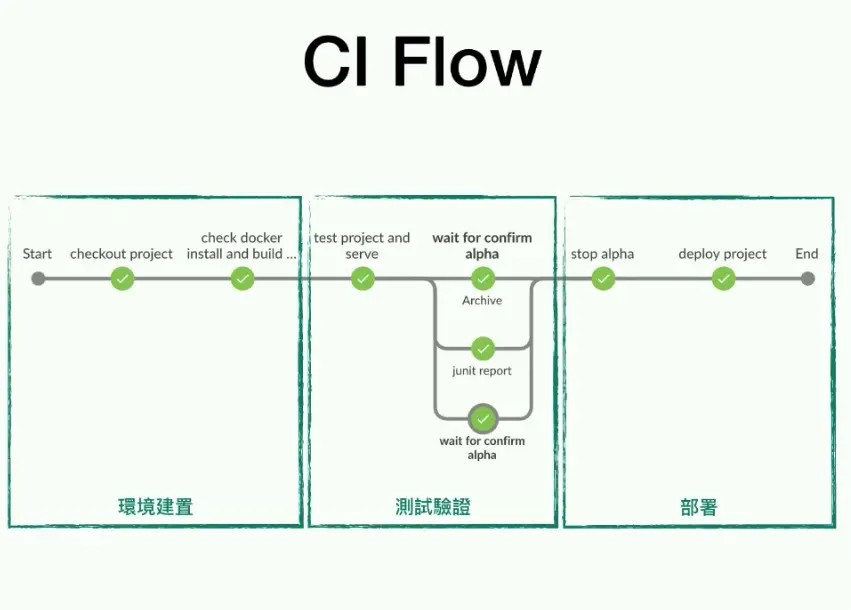
CI-CD流程-命令行方式与Jenkins-Blue-Ocean方式
命令行模式 环境准备 克隆代码 1git clone 启动私有docker hub 12 docker run -d -p 5000:5000 -v /data/registry:/var/lib/registry --name registry --restart=always registry 制作建置环境 1docker build -t localhost:5000/maven dockers/maven dockers/maven/Dockerfile 1234FROM ## 安装openjdk## 安装MavenCMD ["mvn"] 集成、测试、验证 进行自动化测试 1docker-compose run --rm test docker-compose.yaml 123456789101112131415161718192021222324data: image: alpine volumes: - ~/.m2:/root/.m2 command: "/bin/bash&quo...
2023-06-07
Bash中的换行
换行在平常的shell编程中是经常遇到的,但是有时也会忽略掉一些问题。本篇中将会介绍多种方式实现输出换行的方法。 使用 echoecho 自带换行echo 命令输出字符串,在最后后会添加一个换行 123root@Michael:~# echo hello worldhello worldroot@Michael:~# 添加 -n 可以禁用echo最后的换行 12root@Michael:~# echo -n hello worldhello worldroot@Michael:~# 换行符”\n”但是当我们使用bash执行以下命令时,发现它并没有换行 123root@Michael:~# bash -c "echo \"\n\""\nroot@Michael:~# 而是需要加一个 -e 1234root@Michael:~# bash -c "echo -e \"\n\""root@Michael:~# 从echo的说明中可以看到 -e 指的是让转义符生效,其中有: 1234567891011121...

2020-05-20
Scrum敏捷开发
团队成员 一般情况人数在5~9个左右 团队要跨职能(包含开发人员、测试人员、用户介面设计师等) 团队成员构成在Sprint内不允许变化。 用户故事建模为开发任务需求编写用户故事 重要性 用户故事 测试方法 预估时间 30 做为一个会员,可以查看自己的购物清单,以便一起购买 登录,点击购买清单Tab 16h Sprint计划会议(两周一次,4个小时) 设定本Sprint目标及优先级 挑选本Sprint所要开发的需求(Story) 逐一将Story细分成Task 确定每日站会时间和地点 确定演示会议和回顾会议日期计划会议输出: Story Task Hour A 1. 编写自动化验收测试2. 设计用户界面3. 编写用户界面程序代码 4. 编写数据库代码5. 编写单元测试 6. 人工测试 3h5h8h8h8h8h B 1. 编写自动化验收测试2. 设计用户界面3. 编写用户界面程序代码 4. 编写数据库代码5. 编写单元测试 6. 人工测试 3h5h8h8h8h8h 第日立会为早上9:00至9:15 Demo演示时间为:2018-07-1...